Affont 1.4: variable fonts and whole families in one project
 Affont TeamTeamTeam·
A big one. Affont now makes variable fonts, and a whole family lives in one project.
What’s new:
Variable fonts
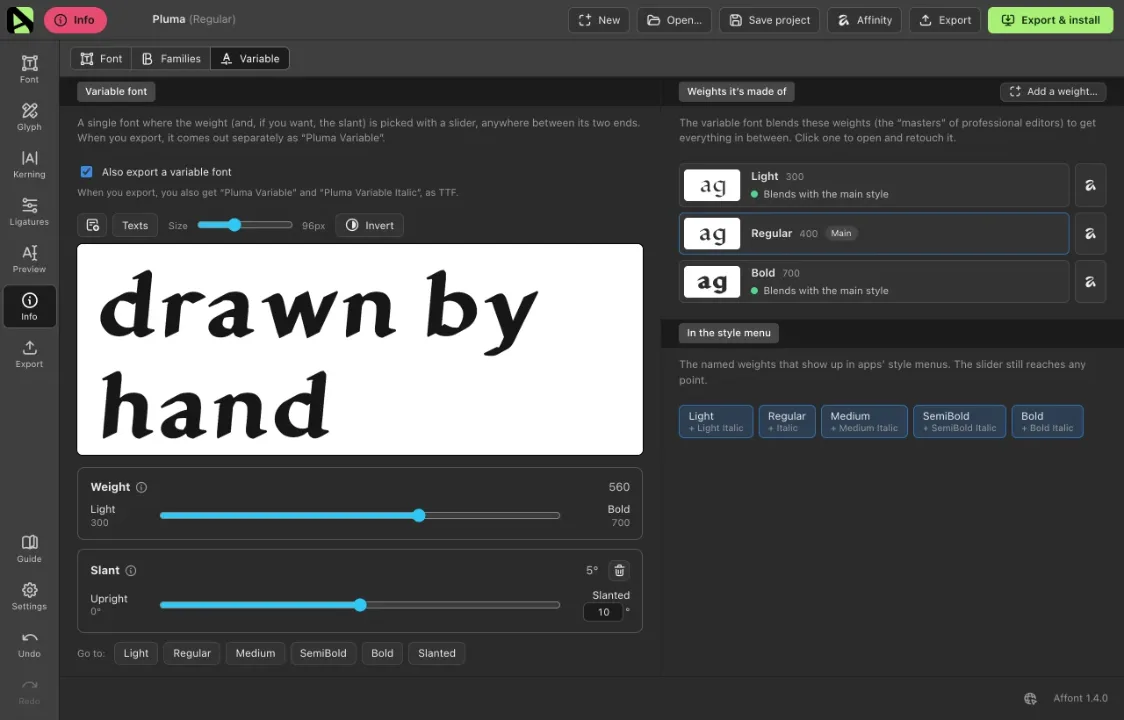
Your family also comes out as a variable font: a single file with all your weights and every weight in between, picked with a slider in Affinity and on the web. Set it up in the new Info ▸ Variable tab.
- Weight: the slider goes from your lightest weight to your heaviest.
- Slant (optional), for variable italics: choose the angle, to the right or to the left. An “Italic” file is installed too, so the italic button in your apps picks it.
- Drew only one weight? Add a weight… makes the Bold, or any weight you want, from your letters, with the same nodes, ready to blend.
- Want to fix a few nodes of that Bold? Retouch in Affinity opens it in Affinity. Move the nodes you don’t like, Send, and it keeps blending.
- Affont matches each letter’s contours from one weight to the other on its own. If a letter can’t blend, it’s listed under its weight, one click away.
Whole families in one project
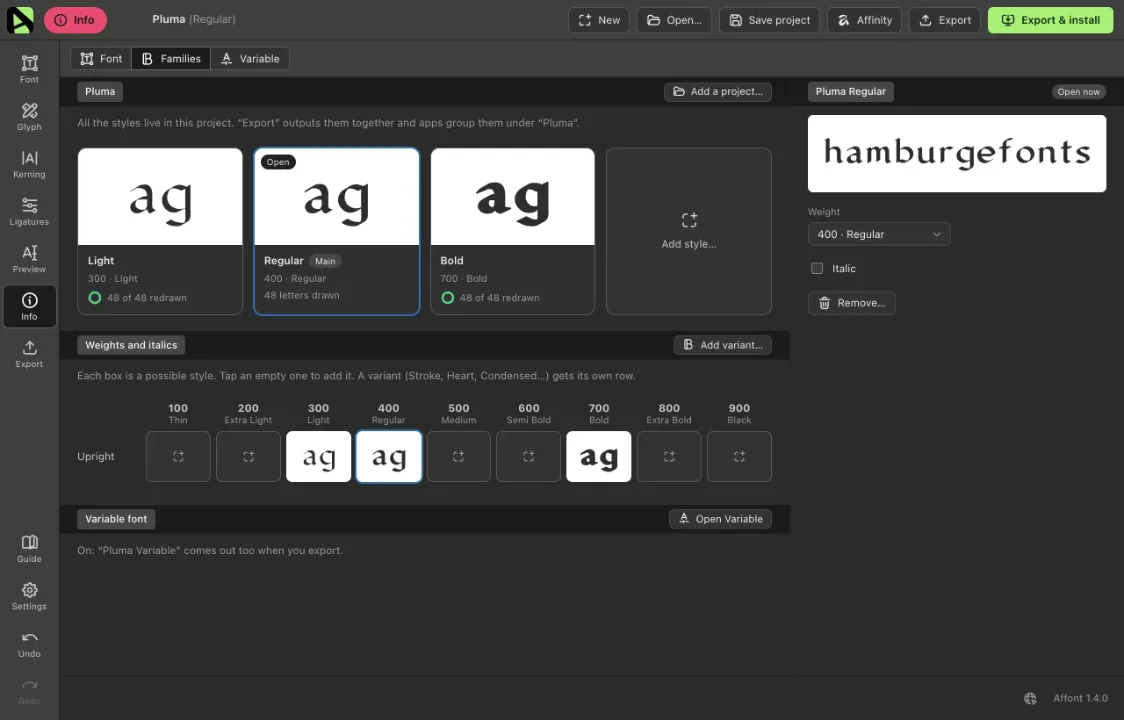
No more one project per style. Info ▸ Families holds Regular, Bold, Italic, Bold Italic and variants with their own name (Condensed, Stroke…). One click opens each style.
- Export & install installs every style at once, linked to the bold and italic buttons of Affinity, Word or Pages. Uninstall removes them all.
- When you Send, each Affinity template goes back to its own style.
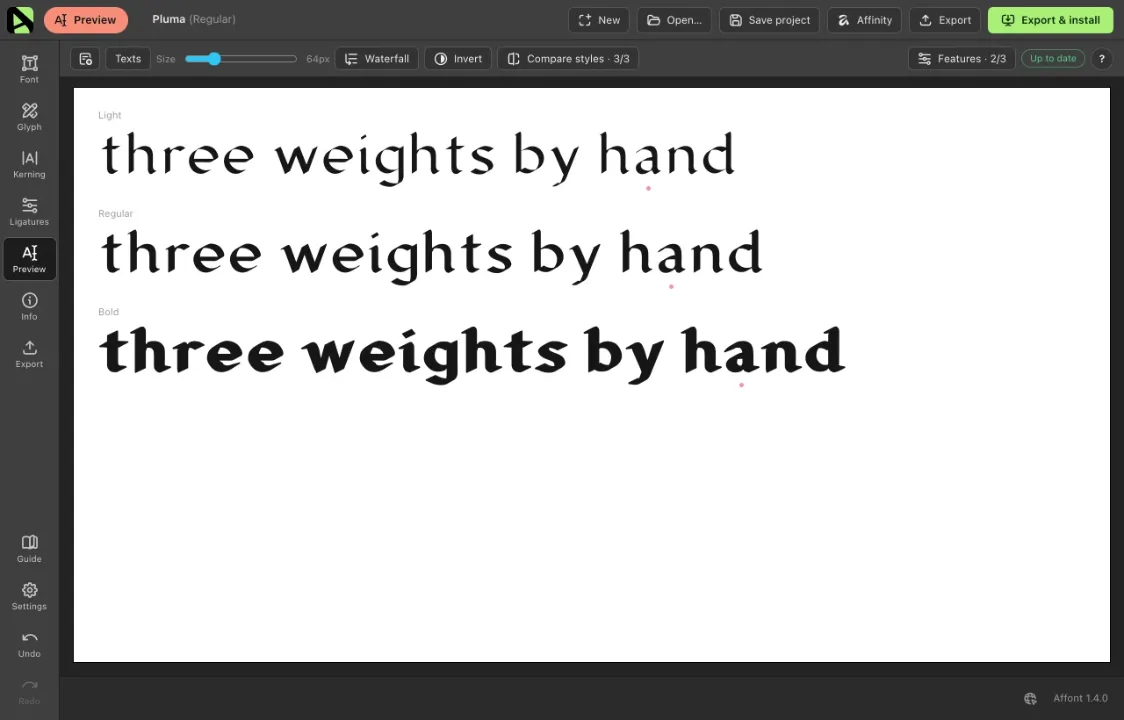
- Preview ▸ Compare styles shows the same text in each style, one under the other.
Letters in their place
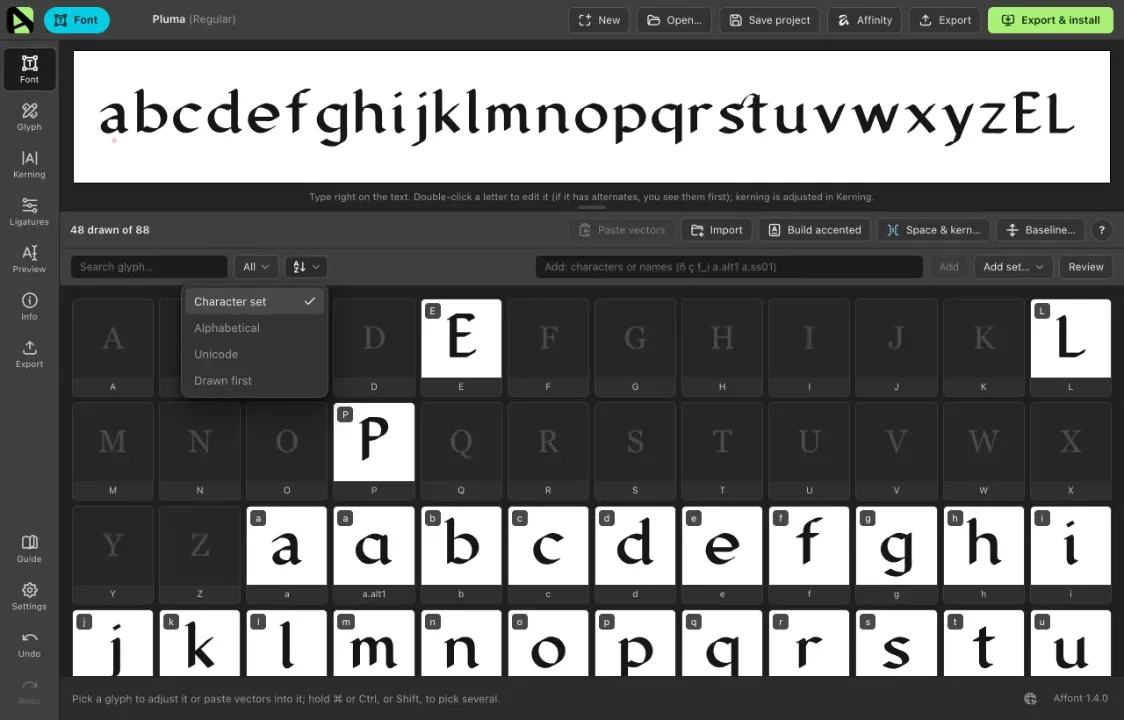
Letters sent from Affinity now land in their place in the grid, not at the end, even in a project that had gotten out of order. And you can sort the grid your way: Character set, Alphabetical, Unicode or Drawn first.
Under each symbol you now read the symbol itself (!, @, €) instead of its name.
 Fixed when sending from Affinity
- The @ arrives as @.
- Loose symbols (• ~ & #) no longer come out one and a half times bigger.
On iPad and iPhone
Affont for iPad 1.4 brings all of this. On iPhone, Affont Pocket 1.4 brings the grid order, the symbols under each cell, the fixes when sending from Affinity and the “This pair only” lock, and it opens family projects made on the Mac or the iPad.
No need to import the Affinity scripts again for this version.