Brushes
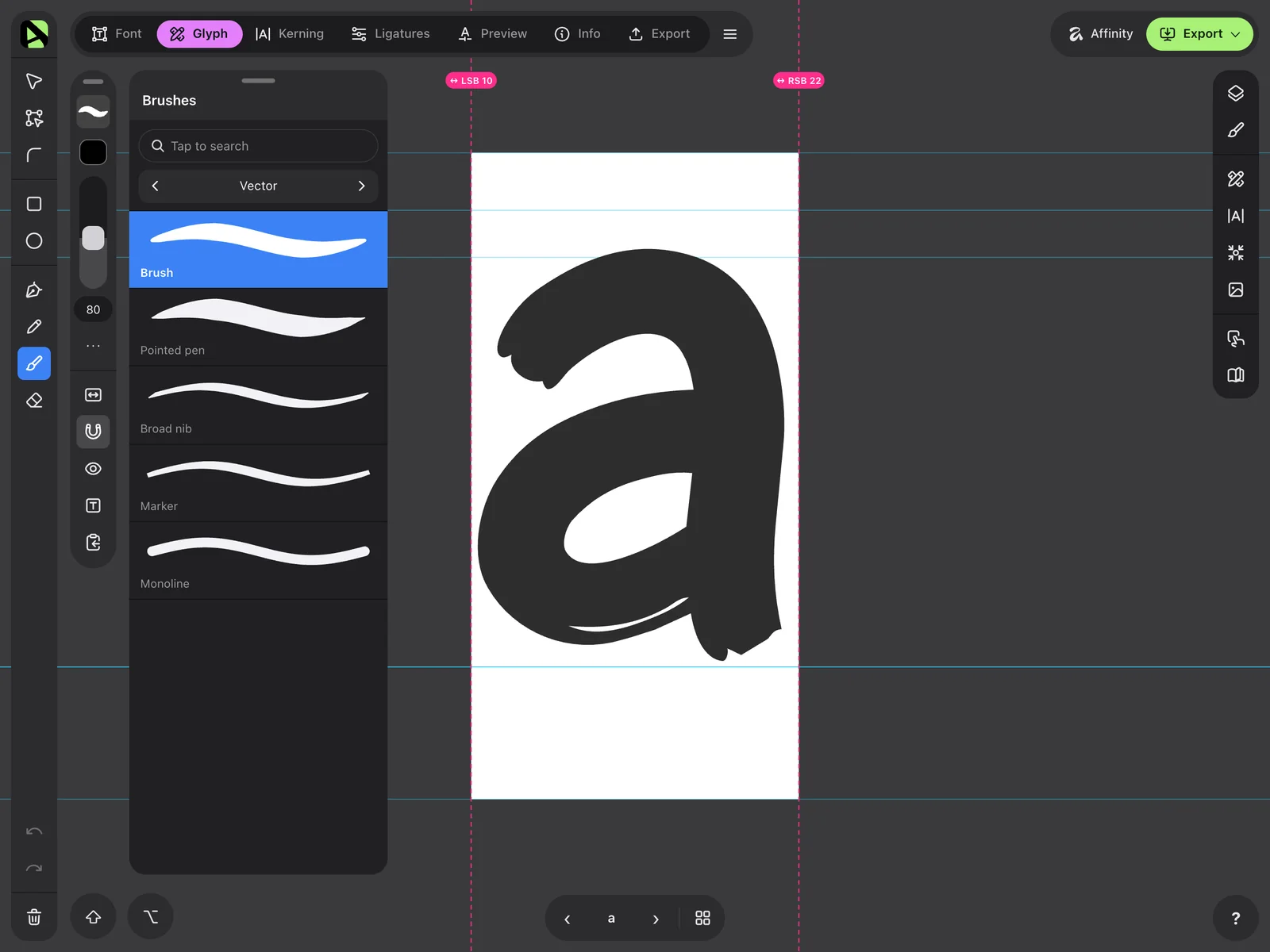
Brushes that follow your hand.
Vector and textured brushes with Apple Pencil pressure, plus Pencil, Pen, rectangles and ellipses. What you see while drawing is exactly what you get.
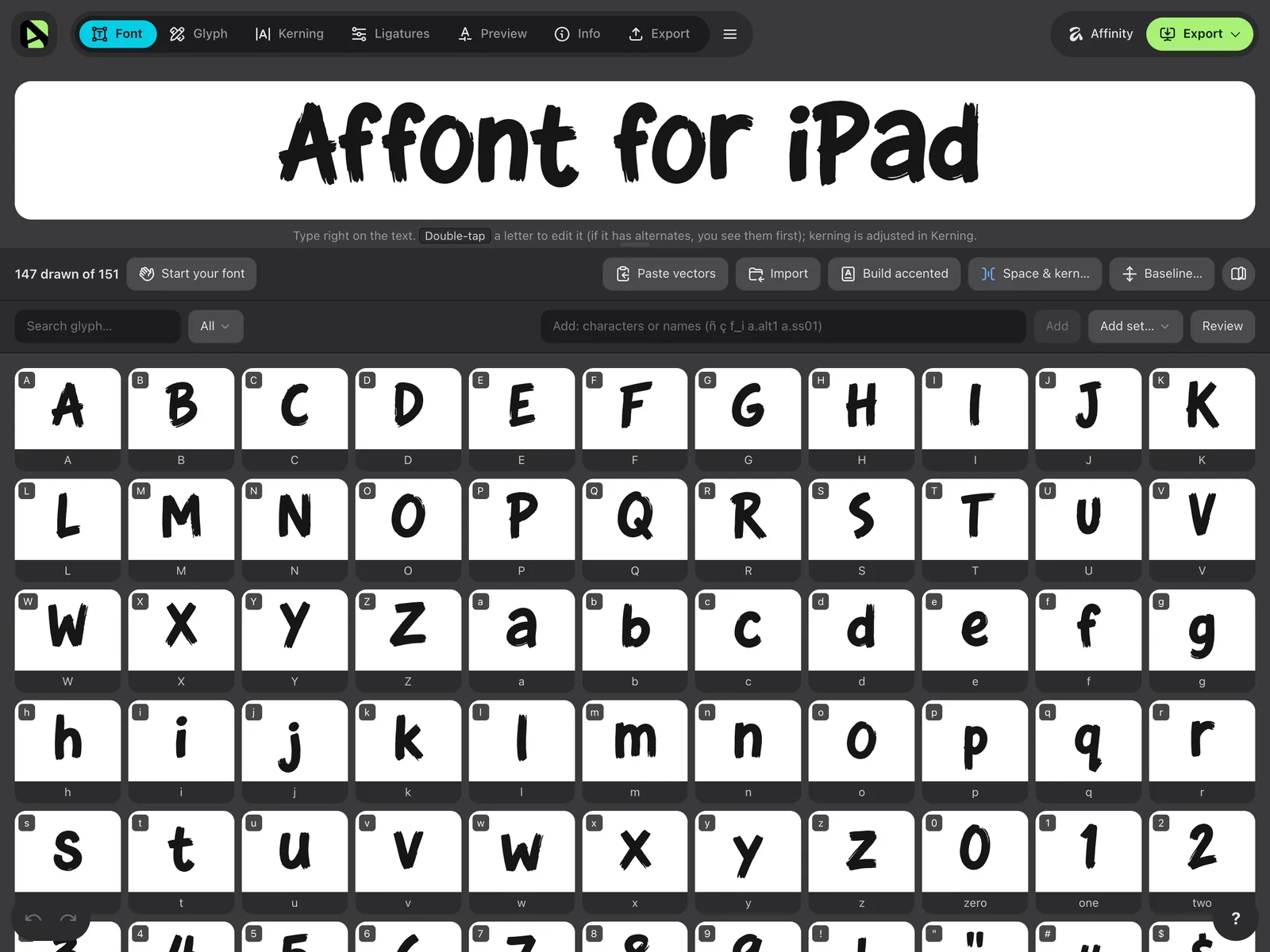
 Font maker app for iPad
Take Affont everywhere.
Draw on your iPad with Apple Pencil or your finger and get a real font ready to install and use in all your apps.
Free to download. Unlocks with a one-time payment of USD $24, no subscription. For iPadOS 18 or later, in 15 languages.
Works on its own or with Affinity for iPad.
Features
Everything a professional font needs made for finger and pencil.
Brushes
Vector and textured brushes with Apple Pencil pressure, plus Pencil, Pen, rectangles and ellipses. What you see while drawing is exactly what you get.
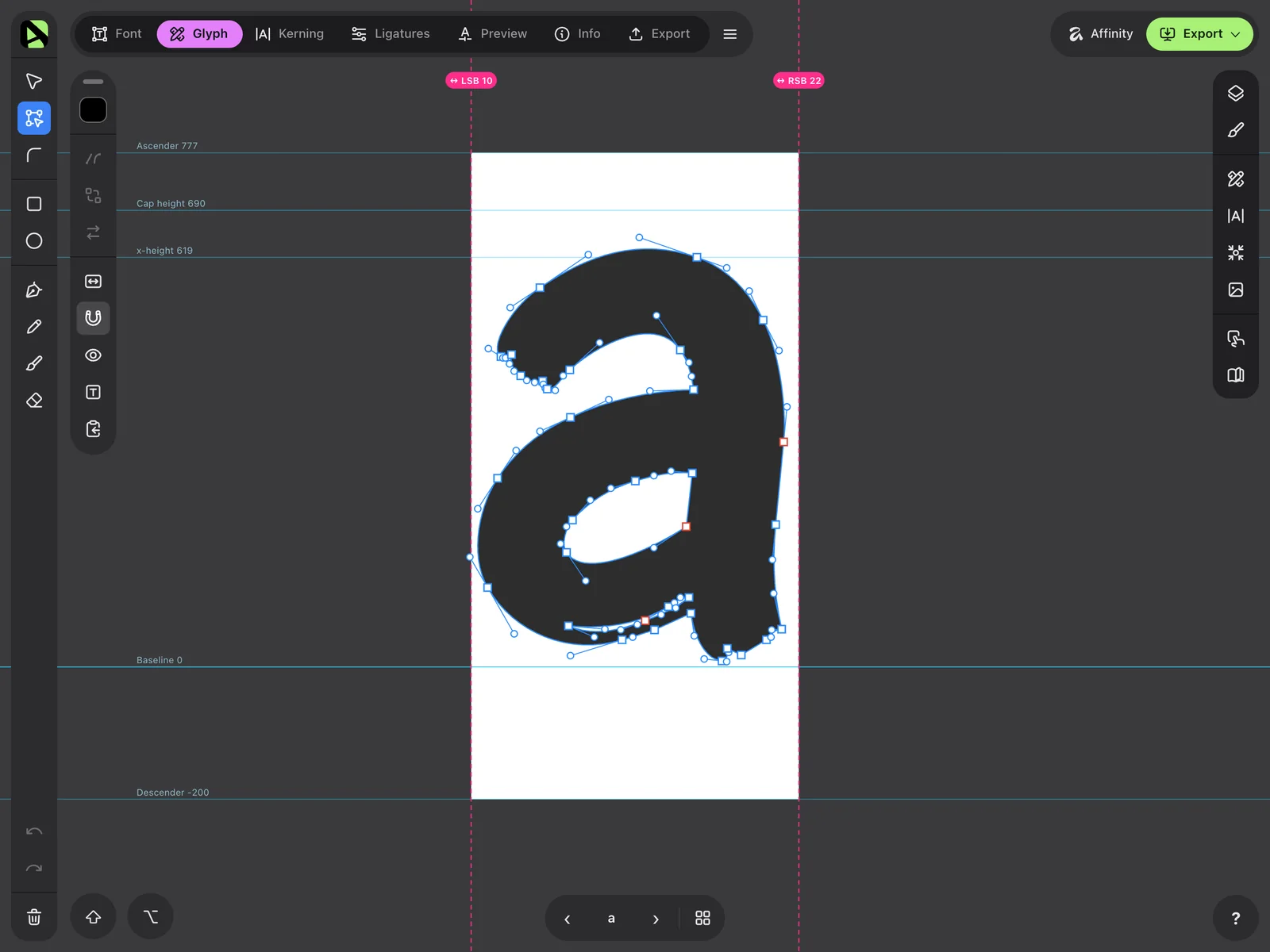
Curves
What you draw stays editable. Move nodes and handles with your finger or Apple Pencil, and unite or subtract shapes.
Kerning
Drag a letter while you read real text and the pair is set. Groups and automatic adjustments are there too.
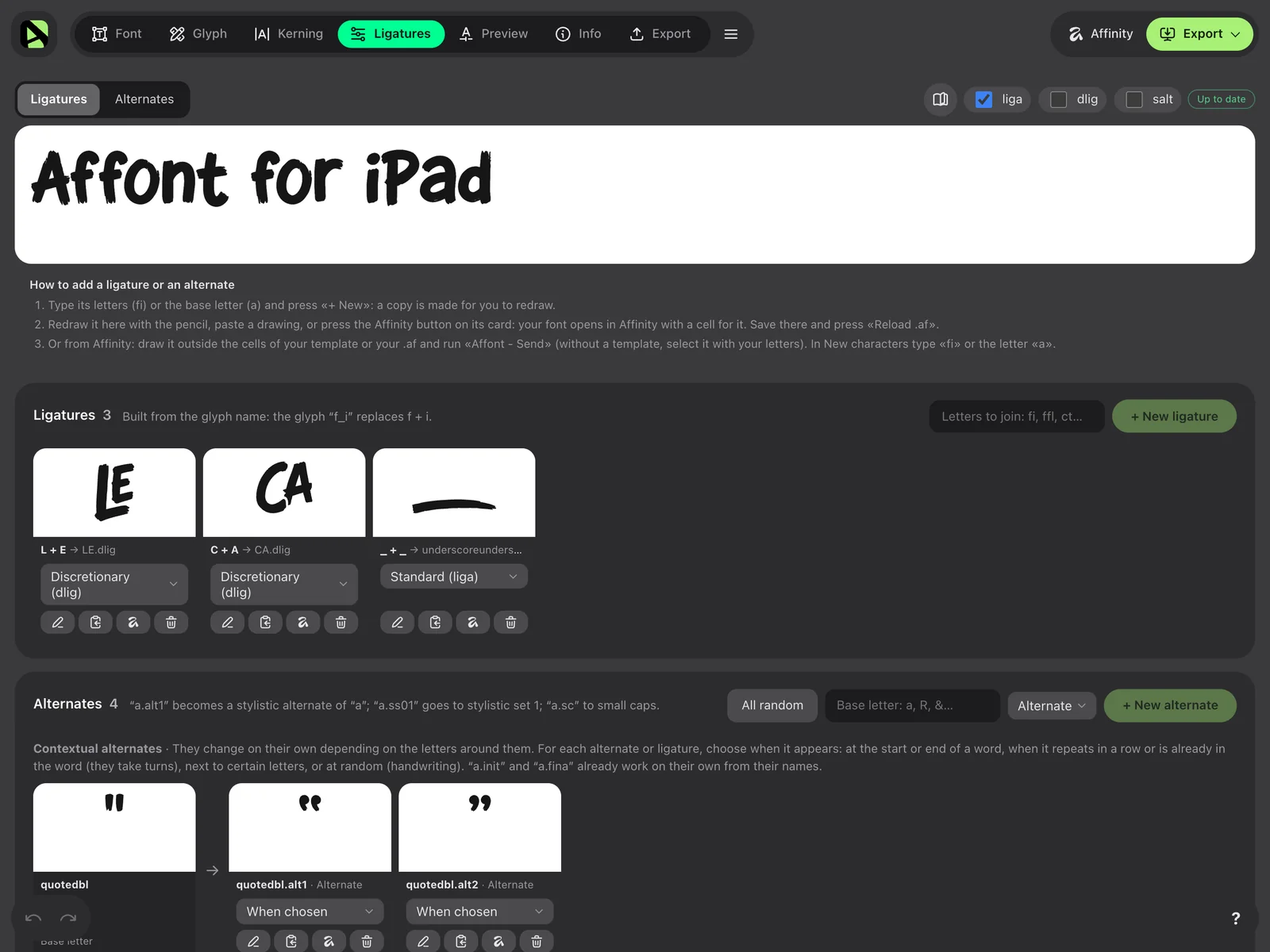
Ligatures
Letters that join by themselves as you type, alternates and stylistic sets, all in the same font.
Export
OTF, TTF, WOFF and WOFF2. Install the font on your iPad and use it in your apps, or share it via AirDrop or Files.
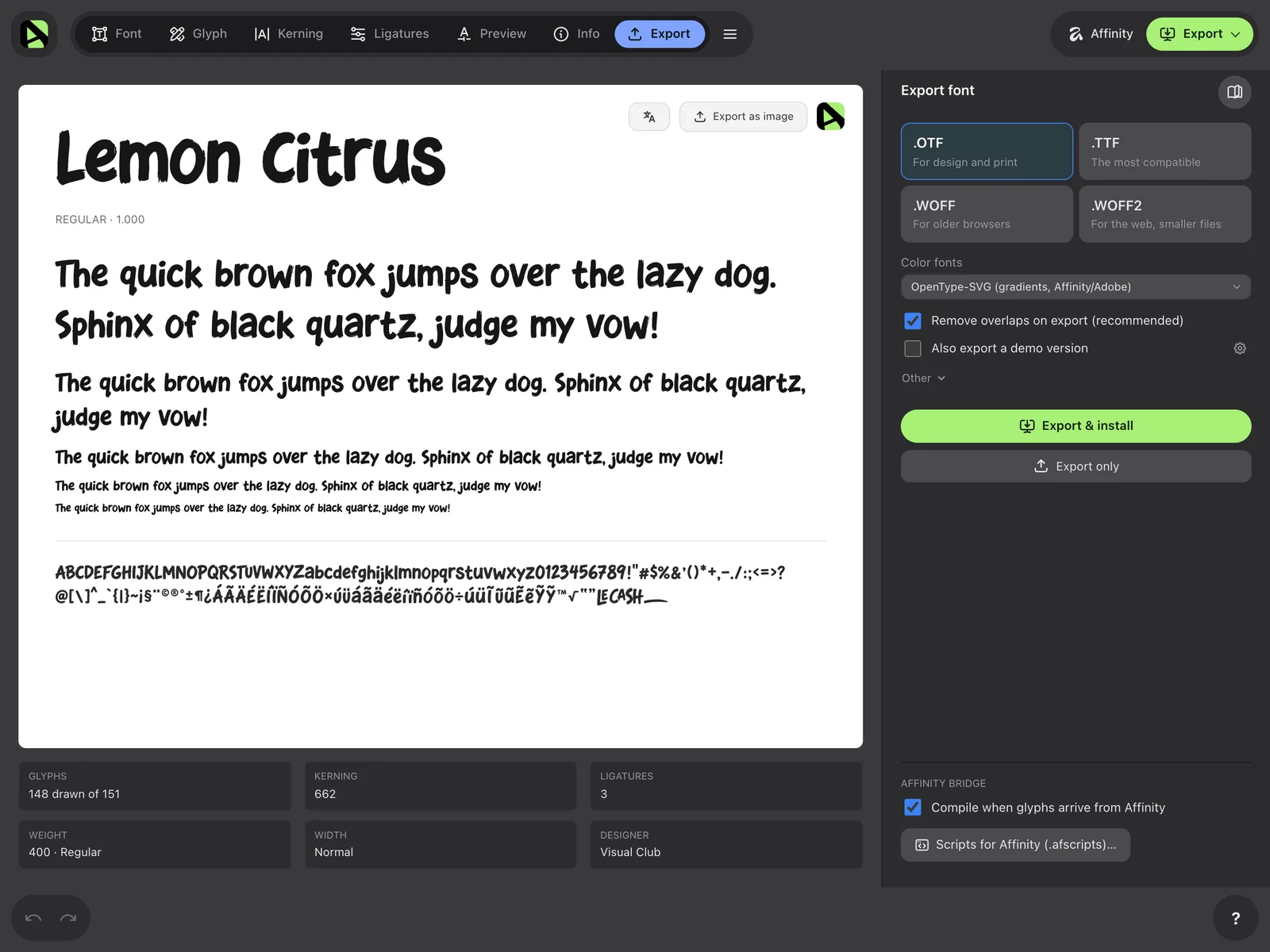
Latin, Nordic, Vietnamese, kana, Thai or any characters you need.
OpenType-SVG fonts, with gradients.
With your own text, a waterfall and OpenType features.
Drew on paper or in a drawing app? Import the sheet and Affont separates the letters and traces them.
Paste vectors or import SVG files.
Your projects stay on your iPad.
With or without Affinity
Choose how to draw and switch whenever you like.
Draw and build the whole font in Affont without opening any other app.
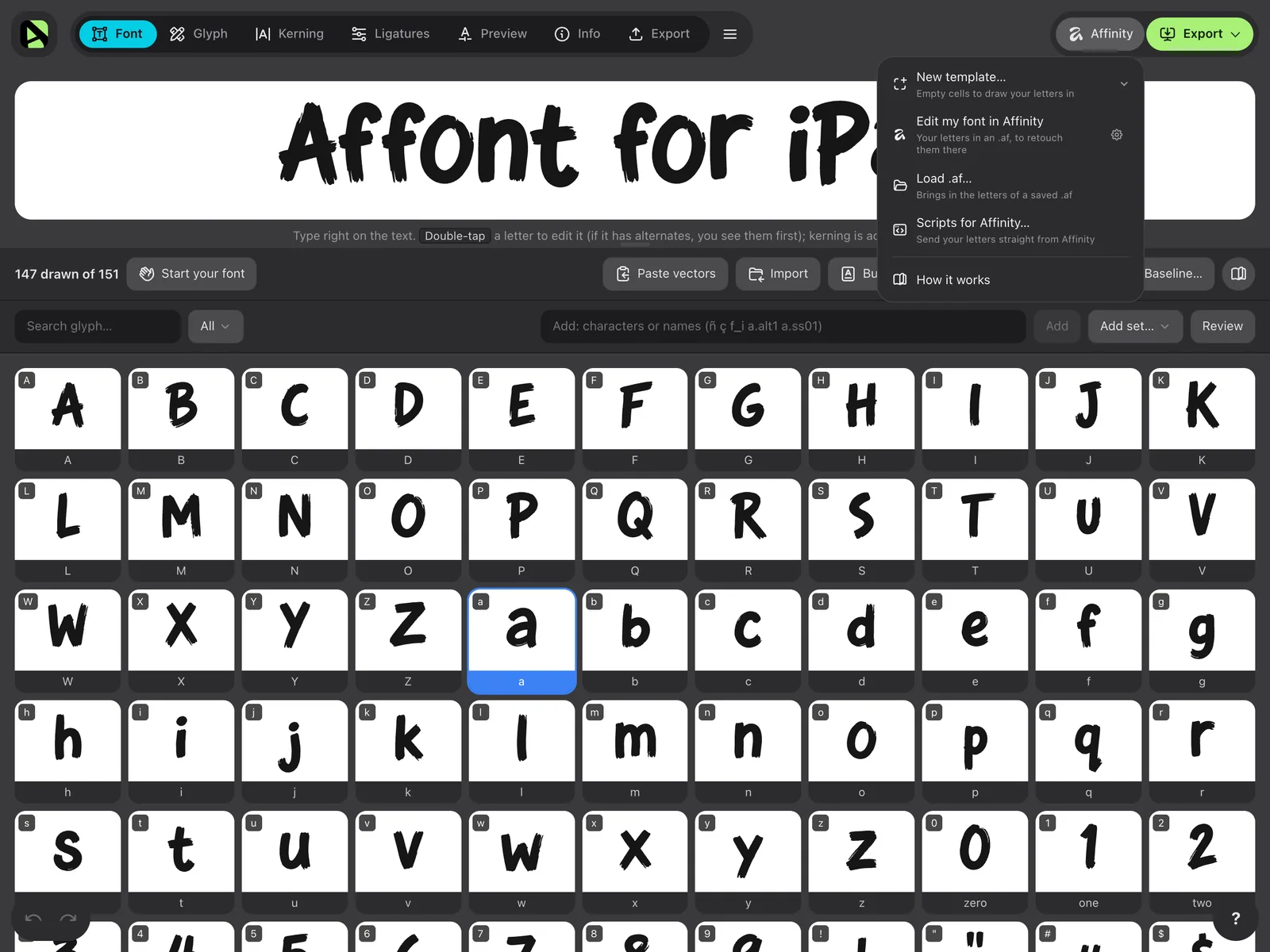
Draw your letters in Affinity and bring them into Affont with an .af template or with Affont’s scripts. It also opens your font there to touch up any letter.
Rather stay in Affinity? Install the scripts once with “Scripts for Affinity…”: one builds the template right there and another sends your letters to Affont in a single tap.
Price
USD $24
A one-time payment, no subscription. The App Store shows the price for your country.
On the App Store in 148 countries. Coming to the European Union later.
Questions
Another question? Write to support@affont.org or ask in the Community.
No. You can draw and build the whole font in Affont. If you use Affinity for iPad, you can also draw there and bring your letters in with the .af file or with Affont’s scripts.
Yes. You install them once with the steps in “Scripts for Affinity…” in Affont: one builds the template in the open document and another sends your letters to Affont in a single tap.
No. It works with your finger. Apple Pencil adds pressure, plus double-tap and squeeze to switch tools.
Any iPad with iPadOS 18 or later.
It’s on the App Store in 148 countries, everywhere except the European Union, where it’s coming later. The UK, Norway and Switzerland already have it.
No. You pay once and it’s yours, updates included.
No. When you open the app, activate your key with “I already have Affont for desktop”. The iPad counts as one of your 3 devices.
Yes. In Settings ▸ License, “Affont for Mac and Windows” gives you a key to activate it there. That’s 3 devices in total, and the iPad counts as one.
In Export, tap “Export & install” and follow the steps: iPadOS installs it with a configuration profile, in Settings ▸ General ▸ VPN & Device Management. You can also save the file and share it.
Yes, 100%. You can sell them, use them in commercial work or give them away.
iPad, Apple Pencil and App Store are trademarks of Apple Inc. Affont is independent and not affiliated with Affinity or Canva. Affinity is a trademark of Canva.