 Font maker plugin for Affinity
Design fonts in Affinity.
Draw your letters where you already design, hit “Send” and use them in any app. Affont turns them into an OTF, TTF or WOFF2 font and installs it in seconds.
For Affinity 3.3 on Windows and macOS. One-time payment for 3 devices.
- Certified for Windows and Mac
- Completely safe0 detections on VirusTotal
Studios and brands that use Affont
Step by step
This is what it really looks like.
You draw in Affinity, run one script and the font lands in the app, ready to use.
-
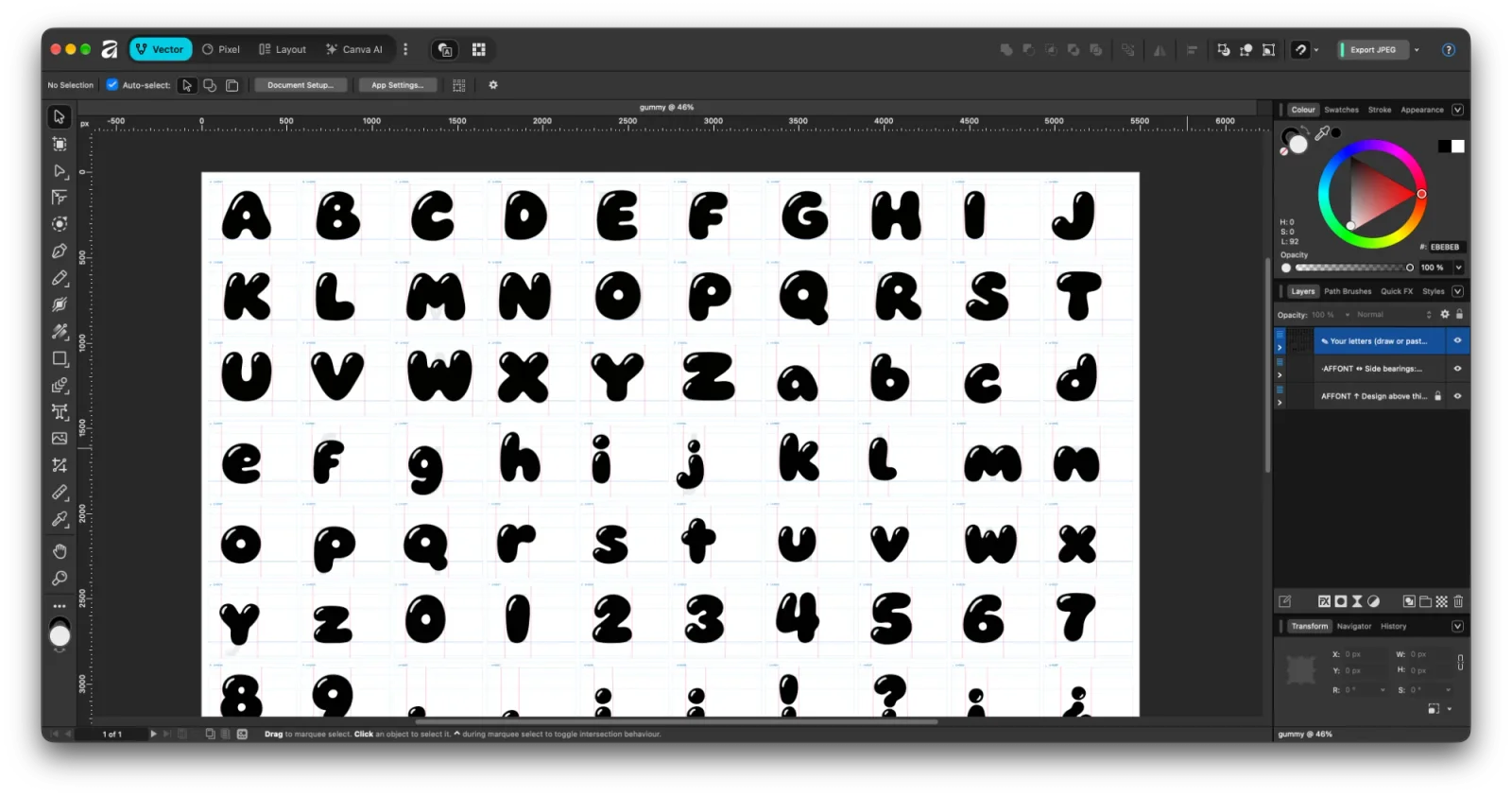
1Draw on the template, in Affinity.
-
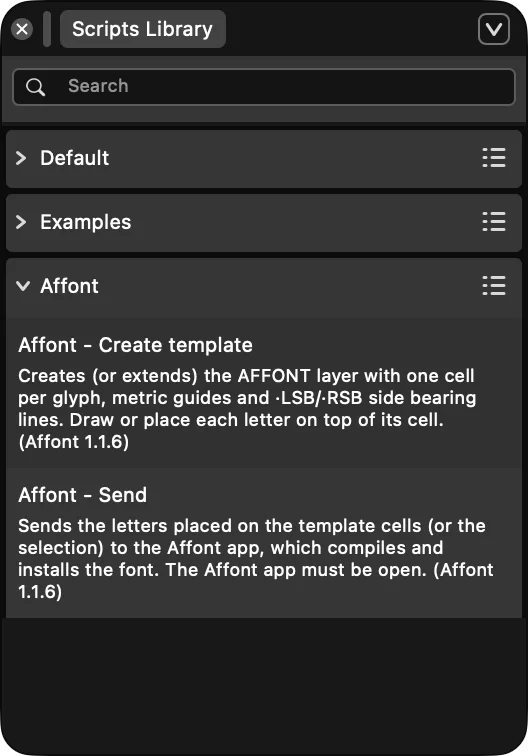
2One click on “Affont - Send”.
-
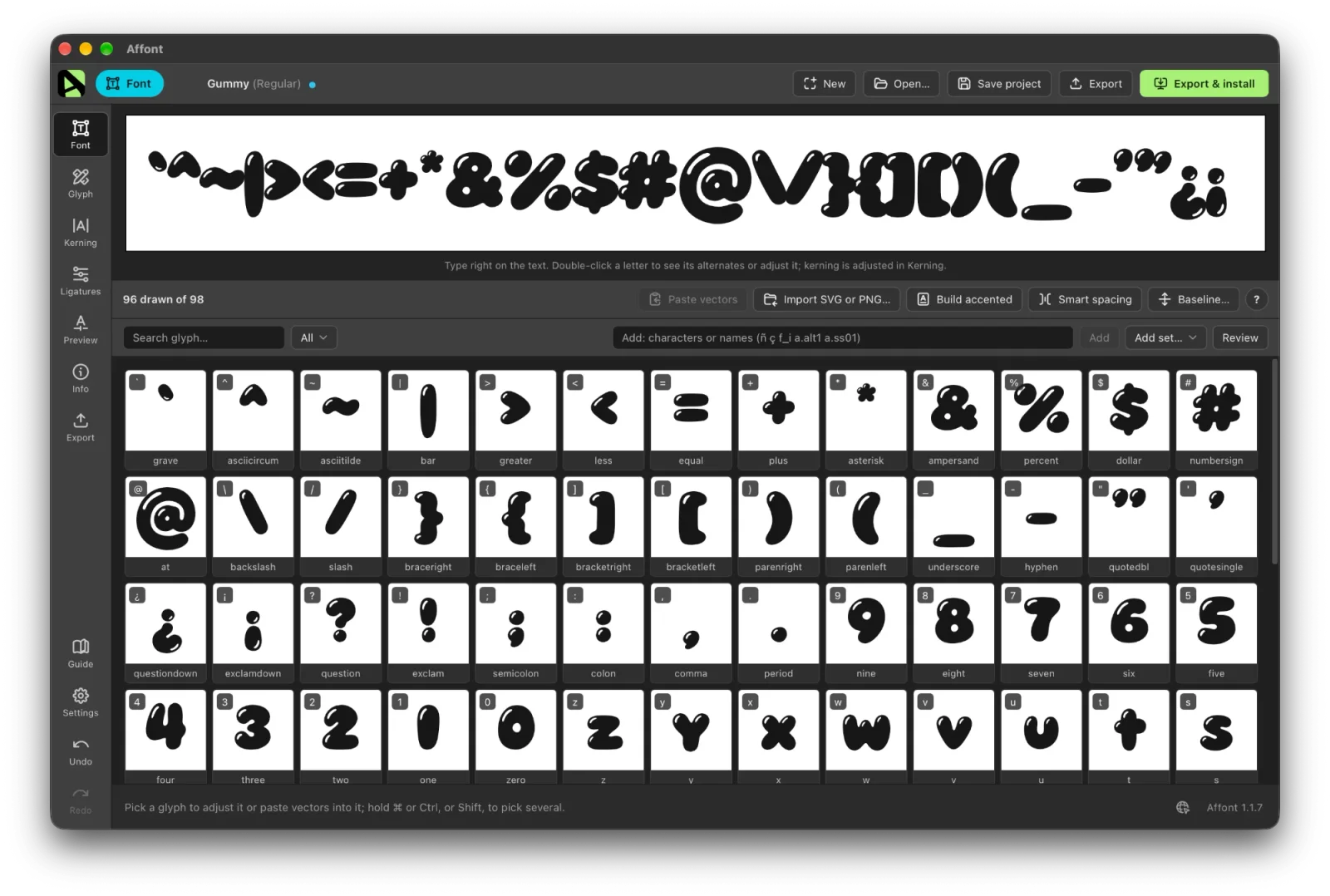
3Your letters arrive in Affont and the font is installed.
Typeface made by Gen (mhtrnx), who shared it on Reddit as their first font with Affinity.
Features
Everything it does, glyph by glyph.
Each Affont feature, with the letter that shows it. All included, no “lite” versions.
Ligatures and alternates
Name the cell f_i or a.alt1 and Affont builds the OpenType: liga, salt, ss01–ss20, small caps.
Contextual alternates
Each alternate chooses when it appears: at the start or end of a word, or next to certain letters.
Automatic accents
Draw “n” and “~” and Affont builds ñ, á, ç, ő, ấ… with the accent in place.
Beyond Latin
Japanese kana and Thai, with vowels and tone marks placing themselves on each consonant.
Color fonts
Paint a letter with several colors or gradients and Affont exports it just as it is.
Bitmap letters
Paint them in Affinity’s Pixel studio with brushes, watercolor or textures, and send them.
Complete families
“New style” duplicates the project and Affinity groups Regular, Bold, Italic… on its own.
Strokes, layers, anything
An unexpanded stroke or a brush turns into an outline when it arrives. Any layer works.
OTF, TTF, WOFF2 and WOFF
For desktop and web. One-click install (Ctrl+I) and a clean uninstall.
Open existing fonts
Pick up an OTF or TTF to keep editing it, or import metrics and kerning from another font.
In your language
App and scripts in 15 languages, from Spanish and English to Japanese, Vietnamese or Thai.
A guide on every screen
A guide with search inside the app, and a “?” on every screen that opens it right at that part.
Smart spacing and kerning
Margins from each letter’s shape, and only the pairs that look too loose or too tight.
And it keeps growing: 32 updates since launch. See what’s new
A plugin and an app, the whole process
From the first stroke
to the installed font.
Draw where you already design.
“Create template” builds one cell per letter in your document, with metric guides and margins. Draw with the pen, shapes, vector brushes or converted text: each shape goes to the cell it sits on, on any layer.
Already have your letters? Select your alphabet or lettering and send it as it is.
All your letters at a glance.
Every glyph with its name and a count of how many you’ve drawn. On top, a line to test the font while you build it, and “Build accented” to fill in the ones you’re missing.
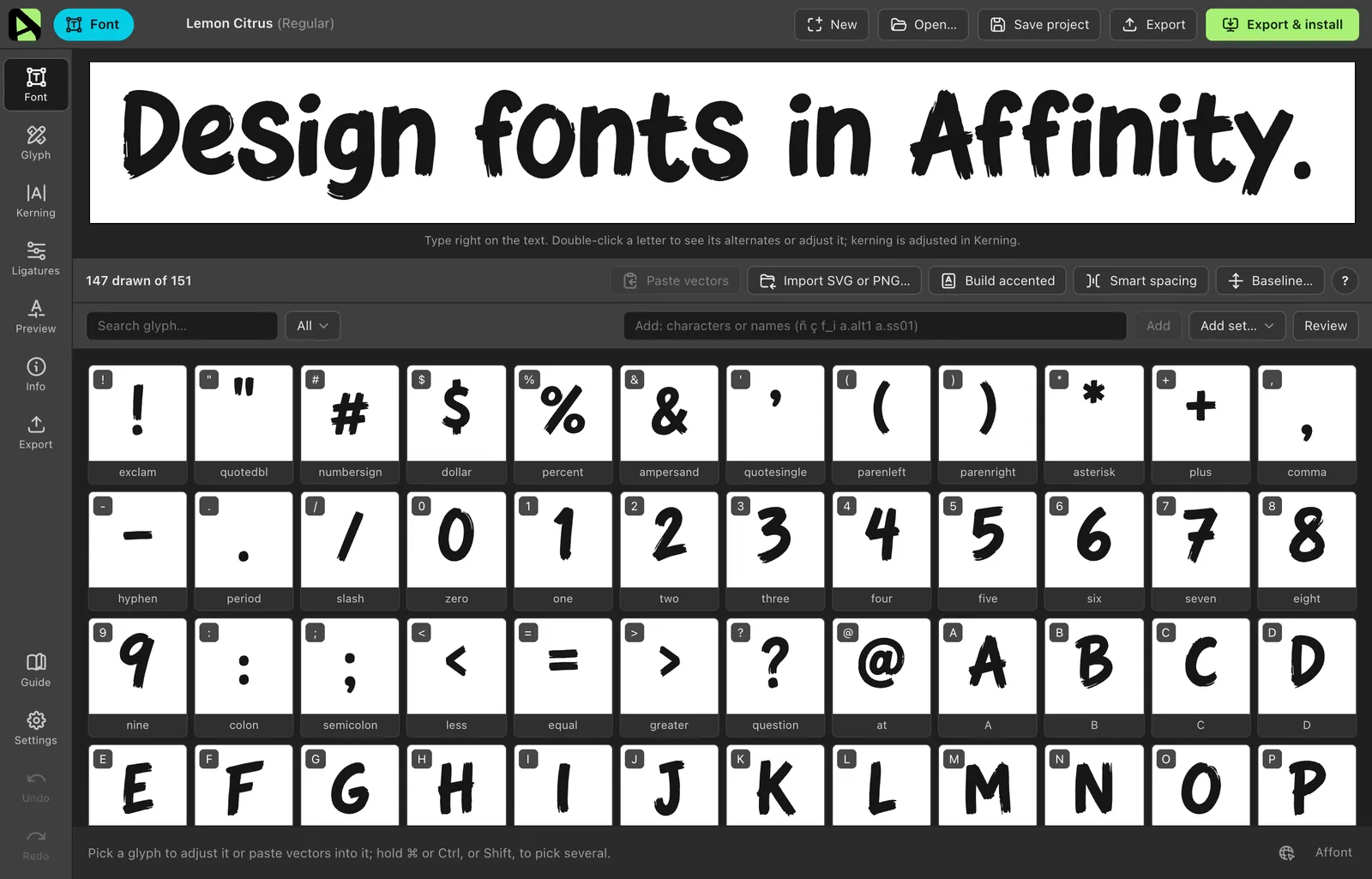
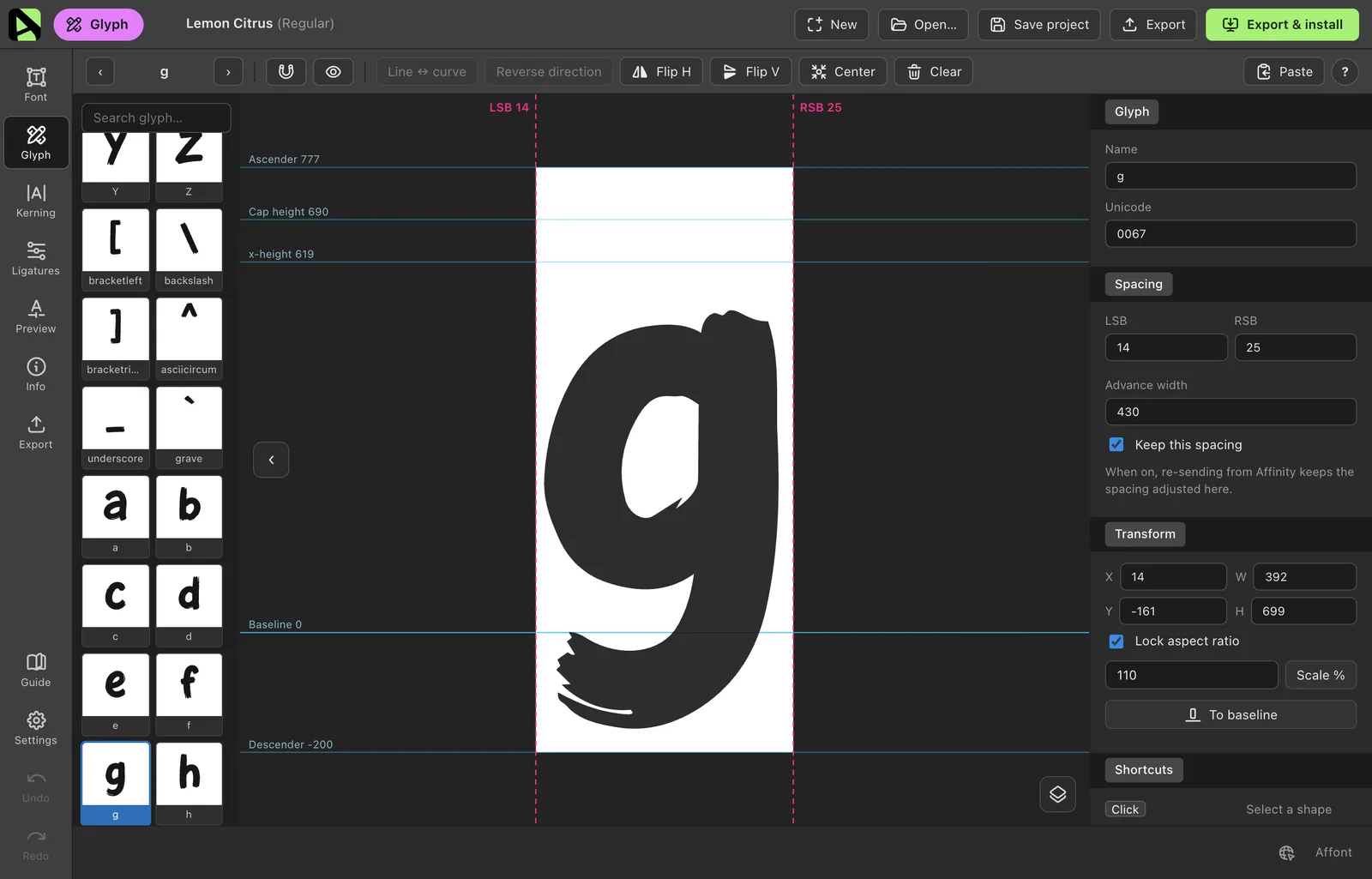
Touch-ups without going back to Affinity.
Nodes and handles, line ↔ curve, remove overlaps, flip, scale and rotate. “Paste inside” adds what you copied to the letter, and a panel with all your letters takes you from one to the next.
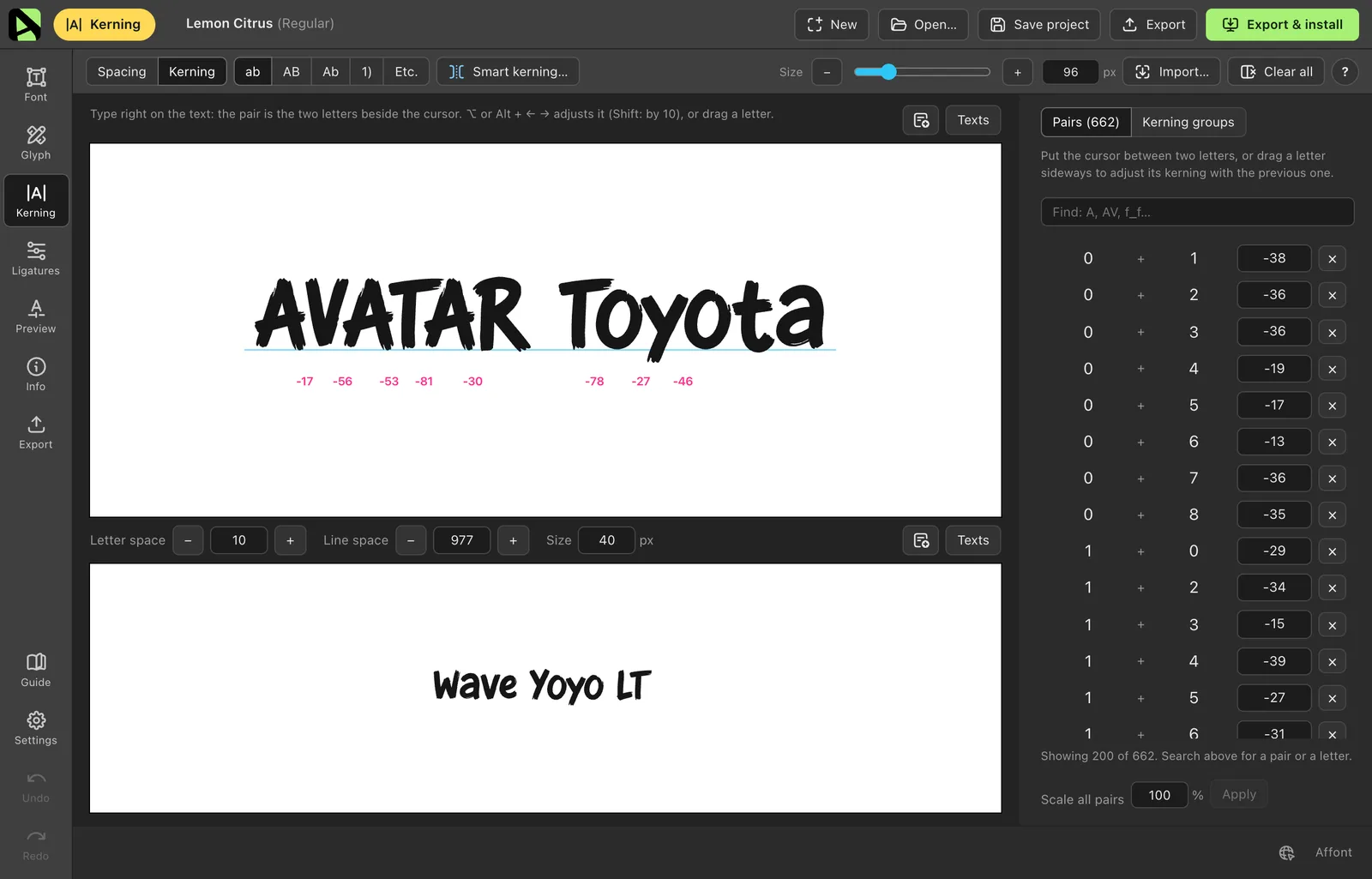
Kerning, by eye.
Drag one letter toward the other and you’re done. “Smart spacing” sets the margins from each letter’s shape, and “Smart kerning” adds only the pairs that look too loose or too tight.
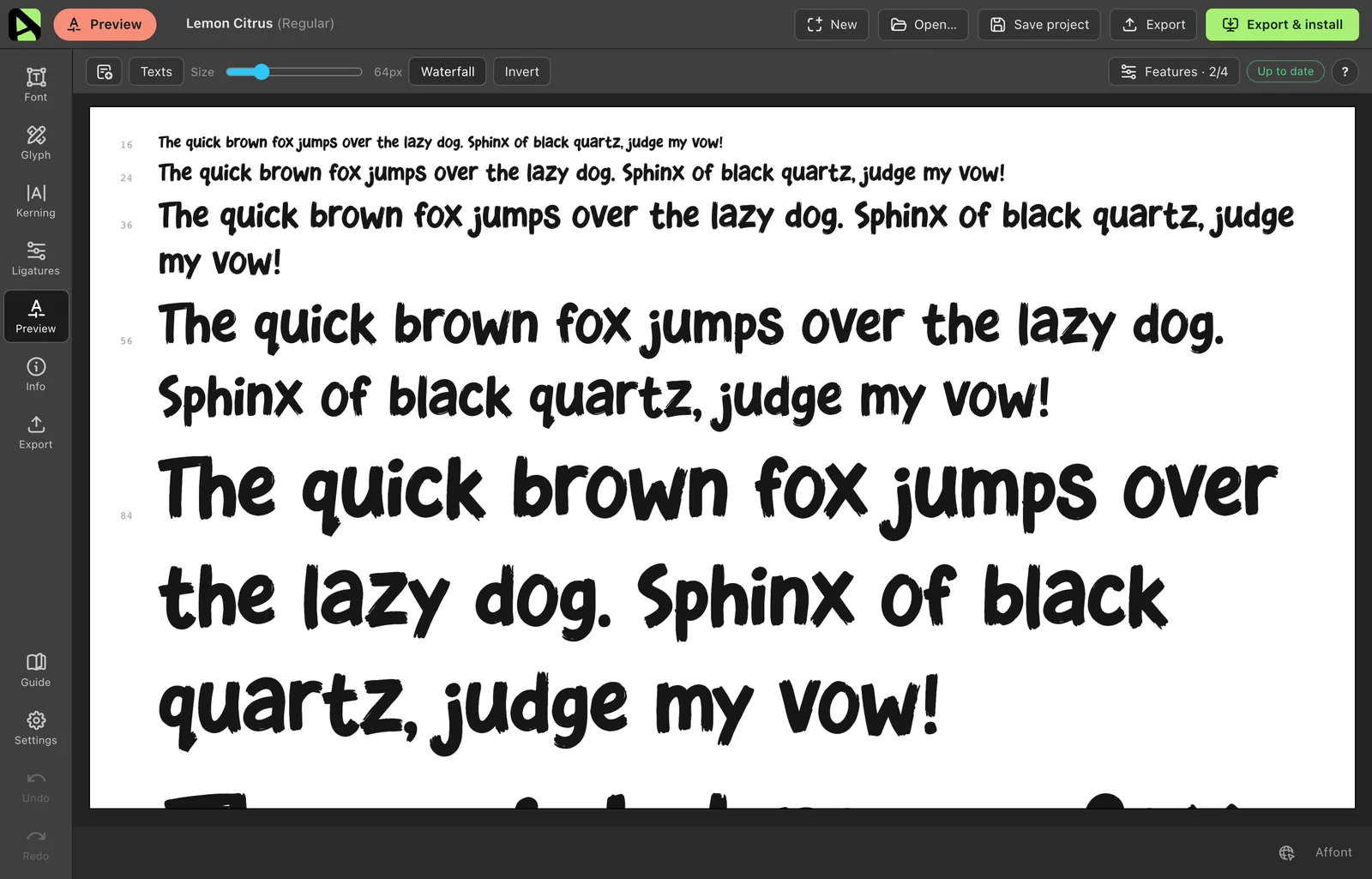
Your real font, live.
Compiled on the spot: pangrams, size waterfall and all its OpenType features (small caps, figures, fractions…). Letters you haven’t drawn yet show in gray, so you know what’s left.
Why Affont
Affinity didn’t make fonts.
Now it does.
Illustrator users have had font plugins for years. In Affinity you had to export every letter and fight with editors built for engineers.
Without Affont
- Export every letter as SVG
- Pay for an expensive type editor
- Import and align each glyph by hand
- Learn OpenType tables
- Reinstall the font after every change
Time: several days.
With Affont
- Draw in your Affinity document, as always
- One click on “Send” and the font is installed
- Margins and kerning the app sets for you
- Accents, ligatures and color without touching tables
- Change a letter and send again
Time: an afternoon.
What Affinity always needed.
| Affont | Illustrator plugins | Professional editorsFontLab, Glyphs | |
|---|---|---|---|
| Works with what you draw in Affinity | Native, in your document | Adobe only | Pasting vectors by hand |
| What you need to pay | One-time payment | Plugin + Adobe CC subscription | Expensive licenses |
| Time to your first font | Minutes | Minutes | Days or weeks |
| Node editor inside the app | Back to Illustrator | ||
| Smart spacing and kerning, groups and visual kerning | |||
| Ligatures, alternates, stylistic sets | |||
| Contextual alternates (word start or end, repeated letters) | Picked by hand | ||
| Color fonts | |||
| Open and edit existing OTF/TTF | |||
| WOFF2 and WOFF web fonts | OTF only |
General comparison by category, based on each product’s public information. If you need variable fonts or manual hinting for a professional text family, a professional editor is the tool. For everything else, Affont is the short way.
Pricing
One payment. Yours forever.
No subscription and no “lite” versions: every feature from day one.
Do the math
- One display font from a foundryUSD $30–80
- Font plugin + one year of Adobe CCUSD $300+
- Professional type editorExpensive
- Affont, forever, unlimited fontsUSD $24
Secure checkout with Creem: taxes included, automatic invoice, card, PayPal, Apple Pay and Google Pay. You get your license key and the download instantly.
Affont
USD $24one-time payment
Windows and macOS on the same license.
- Up to 3 devices at a time
- Every feature, no “lite” versions
- All 1.x updates (32 so far)
- Unlimited fonts and commercial use: they’re yours
- Help in the app, in the community and by email
- Certified for Windows and Mac
- Completely safe0 detections on VirusTotal
Video tutorial · Visual Club
See how it’s done, from start to finish.
Visual Club has a video that walks you through making a font with Affinity and Affont, step by step, in 11 minutes. In Spanish, with English subtitles. Tap a moment to watch from there.
FAQ
Frequently asked questions.
Another question? Email us at support@affont.org or ask in the Community.
Which Affinity version do I need?
Affinity 3.3 or later. The scripts are imported once from the script library with a file the app gives you: no code involved.
Does it work on Mac?
Yes. Affont runs on macOS 11 or later (Apple Silicon and Intel) and on Windows 10 and 11. Your license works on 3 devices, on either system.
Do I need to know type design?
No. The template has cap-height, x-height and baseline guides, and margins are set by moving two lines. If you want to go further, it’s all there: group kerning, OpenType features, metrics.
Are the fonts I make mine?
Yes, 100%. Sell them, use them in commercial work or give them away. Affont adds no restrictions: by default the font’s internal description says “Made with Affont”, and you can change or delete it in Info.
How does the license work?
Paste your key once and you’re done. It works on up to 3 computers at a time; if you switch machines, free one from the app or from your account. It works offline for up to 14 days in a row.
I bought Affont for iPad. Can I use it on Mac or Windows?
Yes, at no extra cost. On your iPad, go to Settings ▸ License ▸ Affont for Mac and Windows and tap “Copy”. Download Affont for Windows or Mac, open it, paste the key and click “Activate”. The key works on 3 devices in total, counting the iPad. Because you bought it on the App Store, it doesn’t show up in your account on the website: your key is in the iPad app.
How do I get help?
There are three ways. The Guide inside the app explains every screen, in your language. In the Community we answer questions, and you can report a bug privately. And by email at support@affont.org. The people who make Affont answer you.
Does it replace a professional type editor?
That’s not the idea. Affont is for making display, brand, lettering and color fonts fast from Affinity. For a text family with variable fonts and manual hinting, use a professional editor (you can start in Affont and open the OTF there).
Which languages and characters does it support?
Templates include Latin for Spanish, Portuguese, English, German and French, the Nordic languages, a multilingual Latin set for all of Europe (Polish, Czech, Hungarian, Turkish…) and another that adds Vietnamese, Indonesian, Filipino and Pinyin, plus Japanese kana and Thai; you can also add any Unicode character.
Is Affont a plugin for Affinity?
Yes. Affont adds two scripts to Affinity 3.3’s Script Library (create template and send) plus an app for Windows and macOS that compiles, installs and exports the font. You keep drawing in Affinity as usual.
Is there a Fontself for Affinity?
No. Fontself Maker only runs in Illustrator and Photoshop. Affont is the Fontself alternative for Affinity: draw your letters in Affinity and get an OTF, TTF or WOFF2 font, with kerning, ligatures and color. See Affont vs Fontself.
How much does it cost to make my own font?
Affinity is free and Affont is a single USD $24 payment, with no subscription. Make as many fonts as you want: they’re yours, including for commercial use.
Does it contain a virus?
No. No antivirus flags it. You can check the VirusTotal report for this exact file.
Your next font starts today.
Start today: one USD $24 payment and Affont is yours forever, with no subscription.
Lemon Citrus is by Emmanuel Rehbani, drawn in Affinity and built with Affont.